Repaint
Turn a photo into artwork
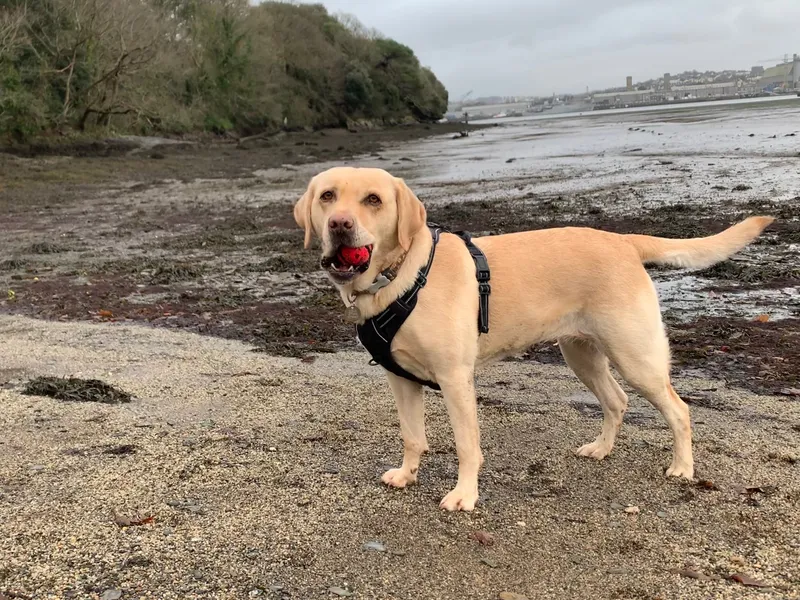
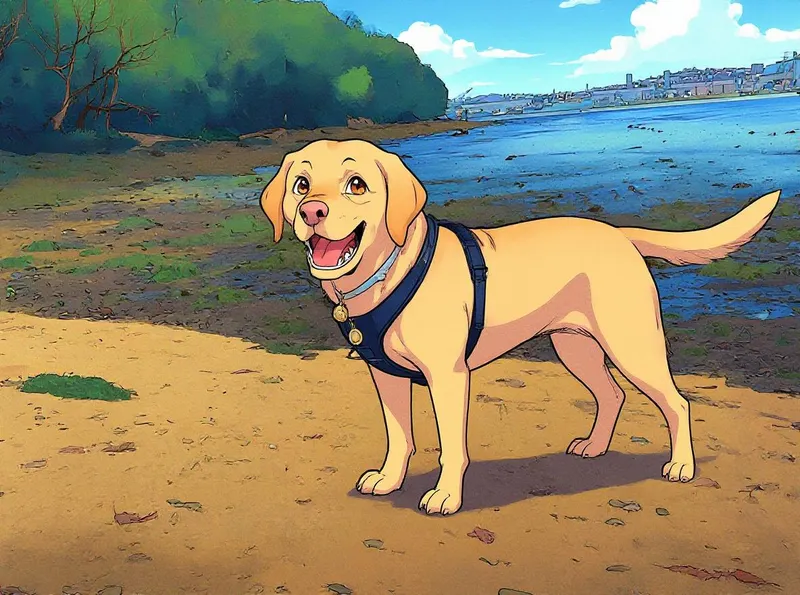
Repaint a photo in up to five art styles at once — classic painting through to modern digital art — using AI style transfer.
- Over 25 art styles to choose from
- Compare against your original photo
- Send results to Edit, Enhance or Expand
- Print your artwork on canvas & wall art
How it works
Upload a photo.
Choose your styles.
Watch them arrive.
What people use it for
Portraits, most of all — a photo of someone you love, repainted into something you'd frame rather than scroll past.
Pets work beautifully, and they're the most forgiving subject you can give it — a hurried phone photo of a dog repaints as happily as a posed one.
Landscapes and holiday photos take the boldest styles well. Thick, Van Gogh-ish brushwork that would take over a portrait looks superb across a coastline or a mountain.
Gifts, which is what a lot of these become once they’re printed — a family home, a first car, a wedding photo, wrapped on canvas and given to someone who was there.
What changes, and what doesn't
The subject stays recognisable. Same person, same pose, same composition — it's still your photo. What changes is how it's painted: the brushwork, the colour, the line, the texture.
Some styles stay close to the original and some interpret it further, which is the whole point of running several. Styles land differently on different photos, and it is much easier to choose between five finished pictures than to guess in advance which one suits your dog.
Each is painted separately and appears as it finishes, so you can close the page and come back to them. Every result arrives with a slider to drag between the artwork and the photo you started with.
Frequently Asked Questions
Will it still look like my photo?
Yes. Repaint follows what's already in your picture rather than inventing a new one, so the subject stays put. The slider on every result lets you see exactly what changed.
How many styles can I use at once?
Up to five in a single run, and each one comes back as its own finished picture. They're generated separately, so you're comparing five real results rather than five previews.
How big can I print it?
The print sizes you're offered depend on what your image can carry — put a small picture in and the large canvas options aren't available. Running a result through Enhance first is what unlocks them.
Can I keep working on a result?
Yes. Any repaint can go straight into Edit to change a detail, Enhance to make it bigger, or Expand to add more scene around it. Your original and every result stay in your gallery.
Do I need to know anything about art?
No. You choose the photo and the styles; the studio does the painting. Most people find the hard part is picking a favourite from the five.
What does it cost?
Repaint is charged per style you choose. The current cost of every tool, and what a pack of tokens costs, is on the pricing page. See pricing
Better together
Every PixLab tool works on the same image and hands off to the next.